
Assumption Versioning
When creating a new version of an Assumption, you save the Assumption with all its properties as well as all the Line-Items attached to it. Please keep in mind that the Assumption versions cannot be deleted. When restoring a version, all changes which have been made since the creation of the version will be reverted, including all changes to Line-Items. Please make sure you create a current version of your Assumption if you wish to save those.
Create new versions of Assumption
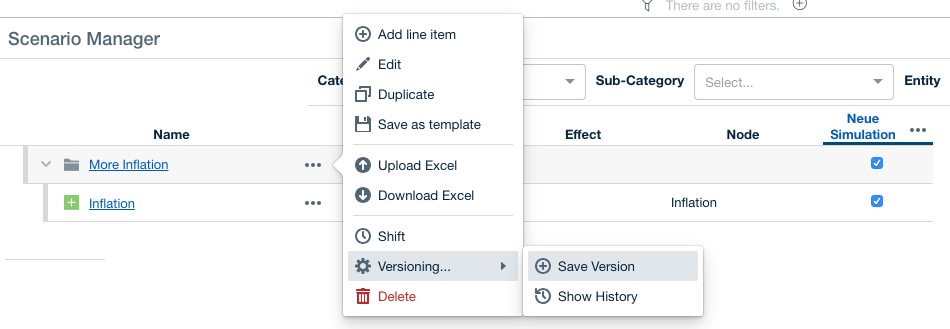
Open the Scenario Manager and select the options (3 dots) next to the Assumption you want to version. Select Versioning → Save Version to save the current state of the Assumption.
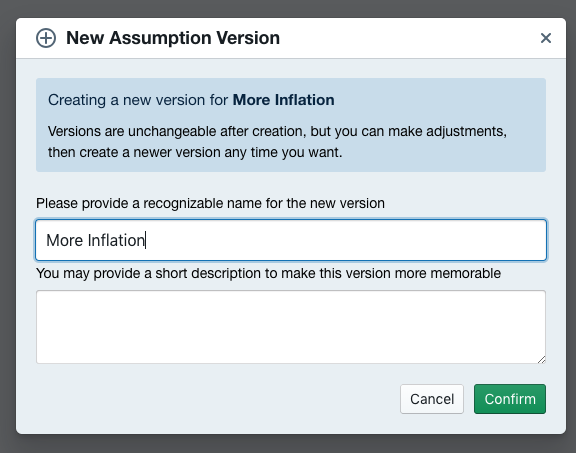
Now you can name the new Assumption version and provide a description if you chose to do so. Hit Confirm to save the Assumption Version.
Restore an Assumption Version
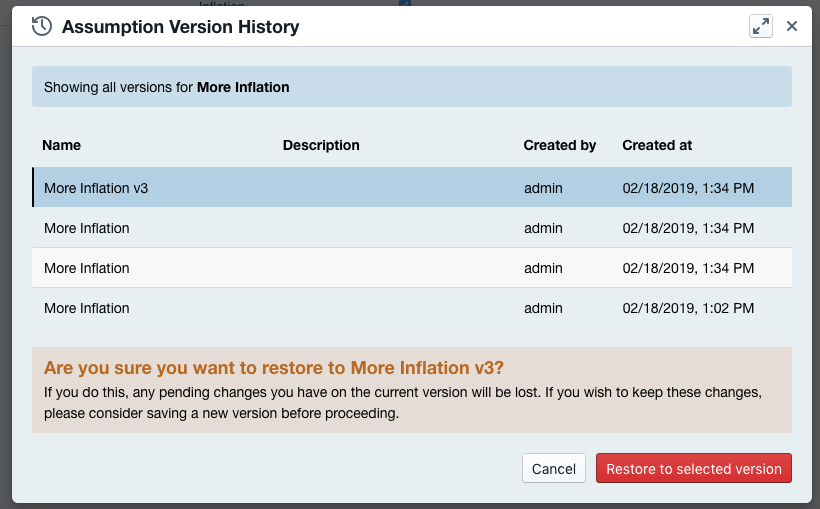
Open the Scenario Manager and select the Options (3 dots) next to the Assumption you want to restore. Select Show History to open all saved Assumption Versions. Now select the version you want to restore and choose Restore to selected version.
Restoring Assumptions with Line-Item Variants
Versioning Assumptions includes all Line-Items and all Line-Item Variants.
When restoring Assumptions that include Variants, the restored Variants will override all currently existing Variants.