
Creating a Line-Item
- To add a Line-Item to your assumption, click on the “+” button on an assumption.
- In the first step to create a Line-Item, you can select one or multiple simulation nodes for which you wish to create line items.
- All line items are “Absolute” by default. In the next step you can mark some or all as “Relative” as well as assign a name for each line item.
- Click ‘create’ to create the defined line items.
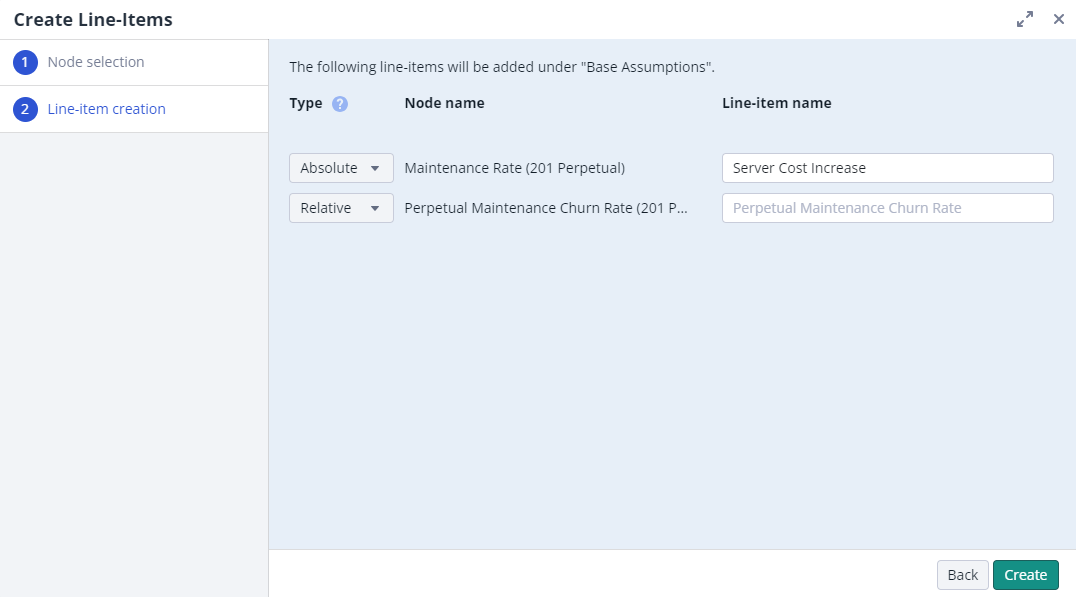
Absolute Line-Item
- Used to enter absolute values as the change to your base data
- Has a fixed dimensionality which cannot be changed
Relative Line-Item
-
Used to enter relative values as the change to your base data
-
The dimensionality of a relative Line-Item can be adjusted
- In a relative Line-Item it is possible to select a hierarchically higher level in the dimensionality, which will aggregate the lower level values into the new level E.g. The Line-Item is based on ‘Months’ in the ‘Time’ dimension. By changing the dimensionality and selecting ‘Year’ from the ‘Time’ dimension, all the values from ‘01-2023’ till ‘12-2023’ will be aggregated to ‘2023’.