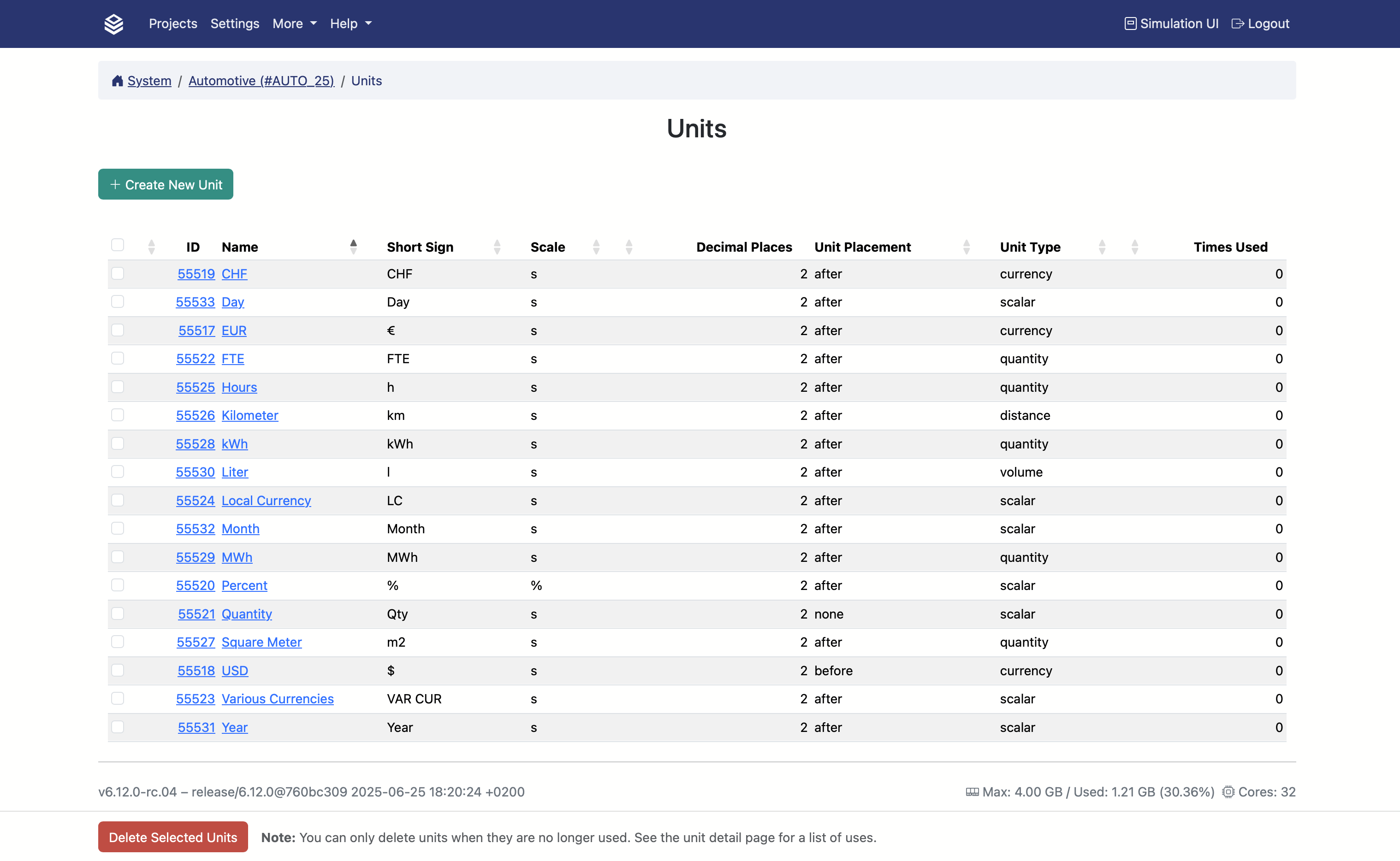
Units
Units in Valsight are display labels assigned to model nodes—such as
EUR,km, or compound units likeEUR / km. They help users interpret values in context and do not affect calculations.
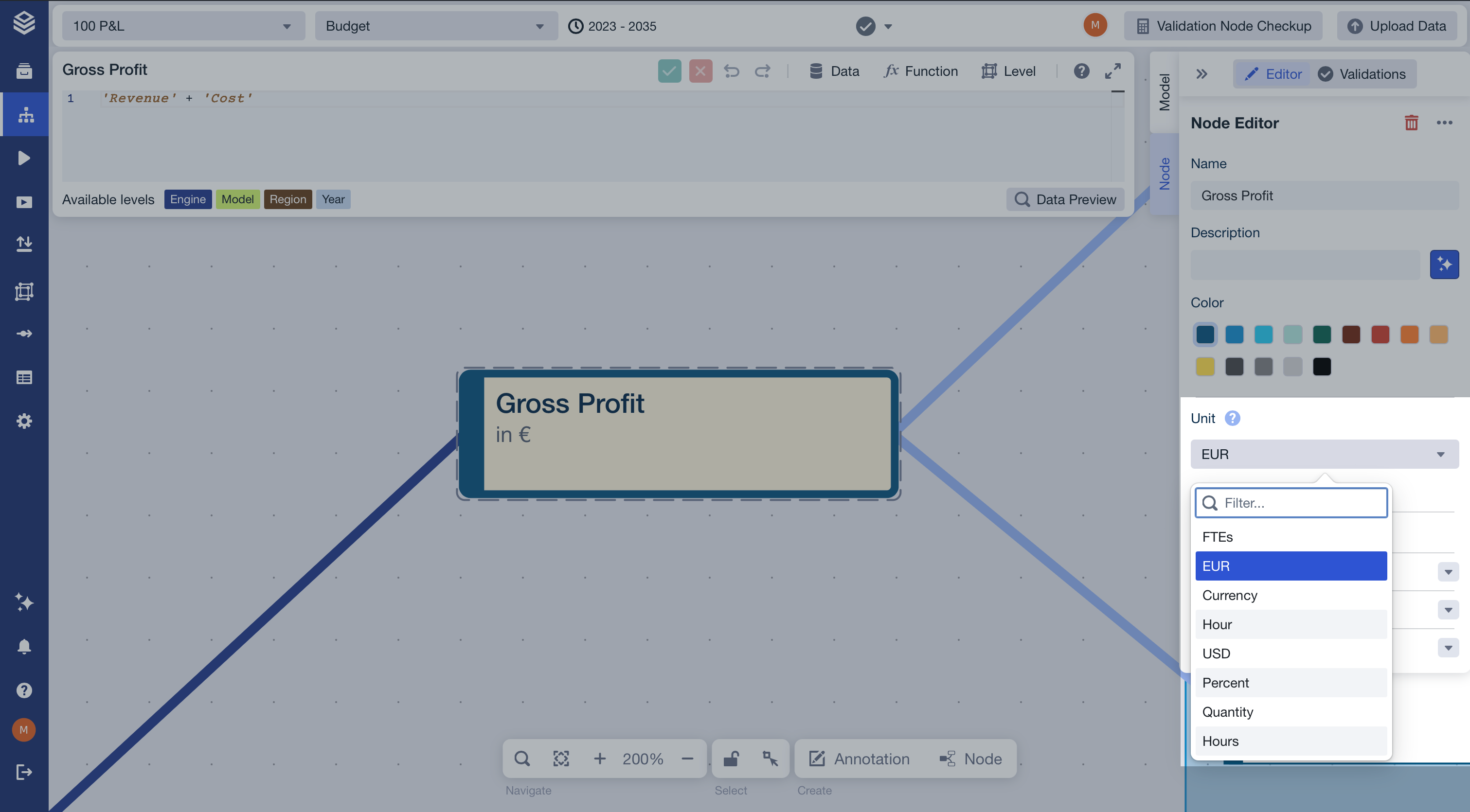
Assigning units to a node
In the Node Editor (right-hand panel of the Model Editor), open the Units section and select a unit from the list.
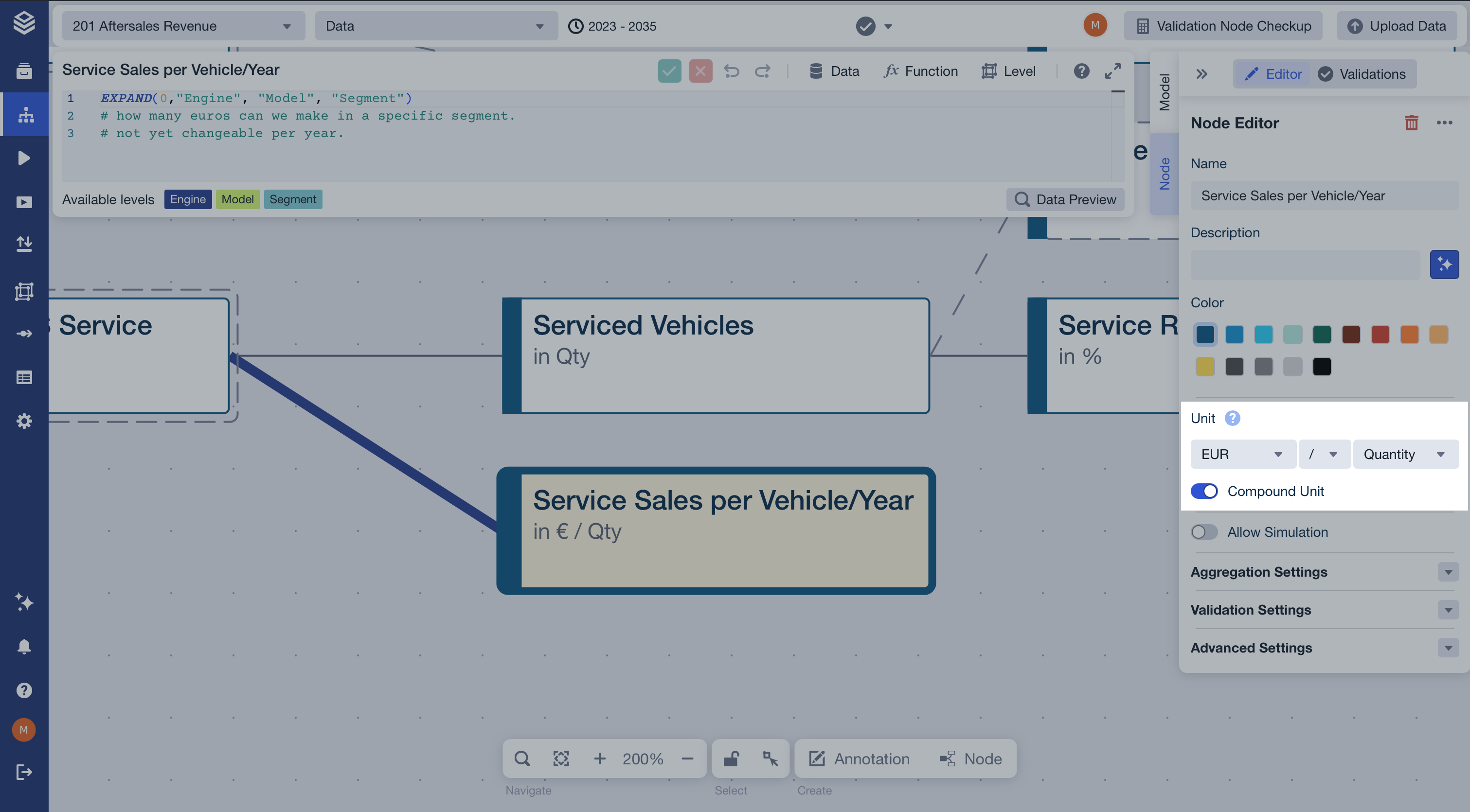
For nodes that express a ratio, select a compound unit by combining two labels (e.g. EUR / km).
If the unit you need is not listed, contact your project admin. The available unit list is project-wide and managed in Admin Settings > Units.