
Duplicating a Project
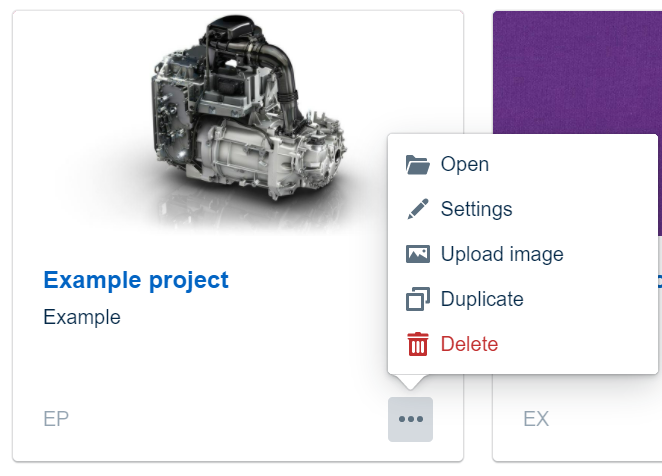
To duplicate a project, navigate to the three-dot menu on the project card and click on “Duplicate”.
A dialog will open, that asks you to confirm the duplication.
Duplicating with selected Workspaces
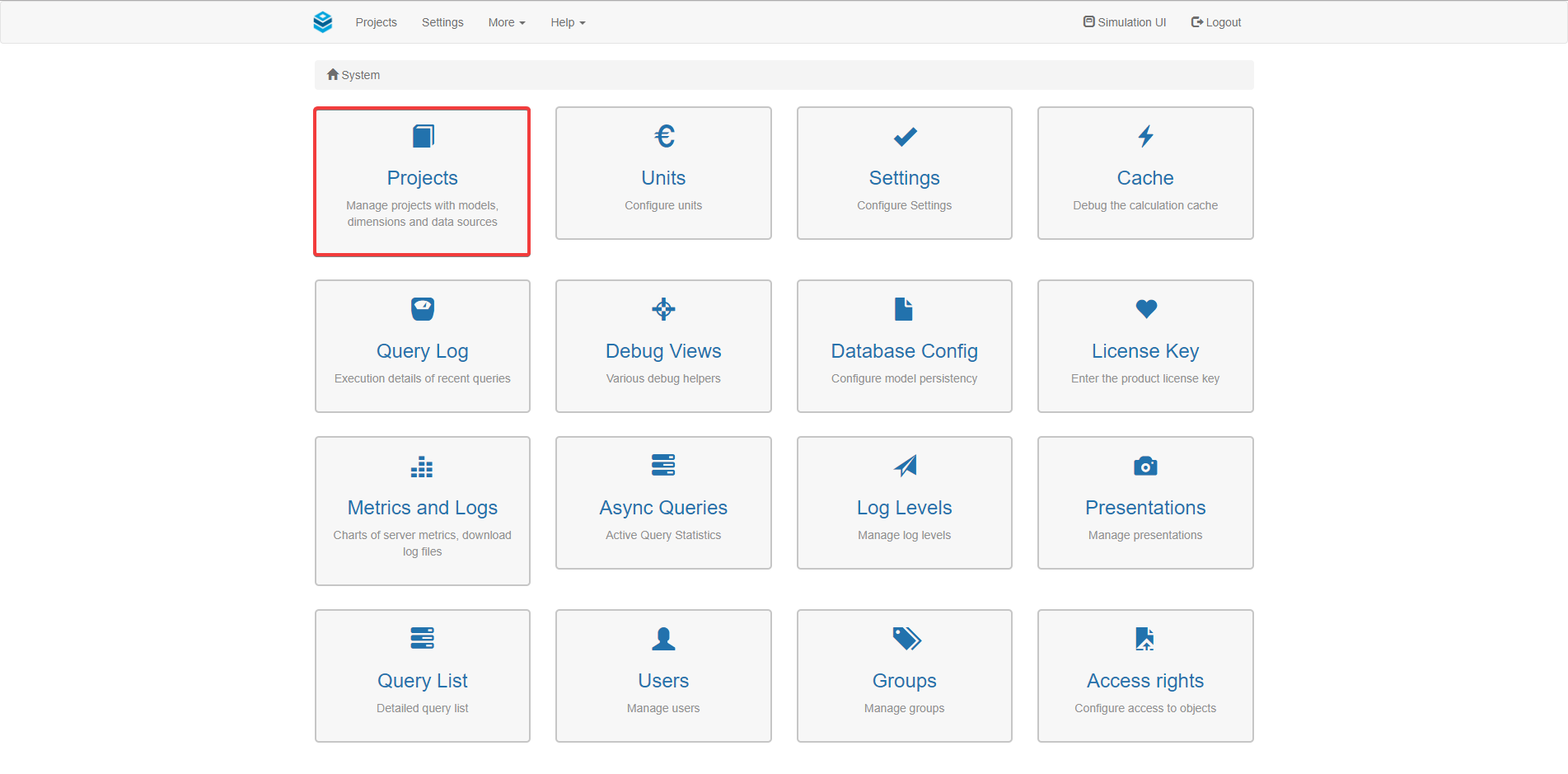
In case, you do not want to duplicate an entire project including all Workspaces, navigate to the Valsight settings and open the project settings overview.
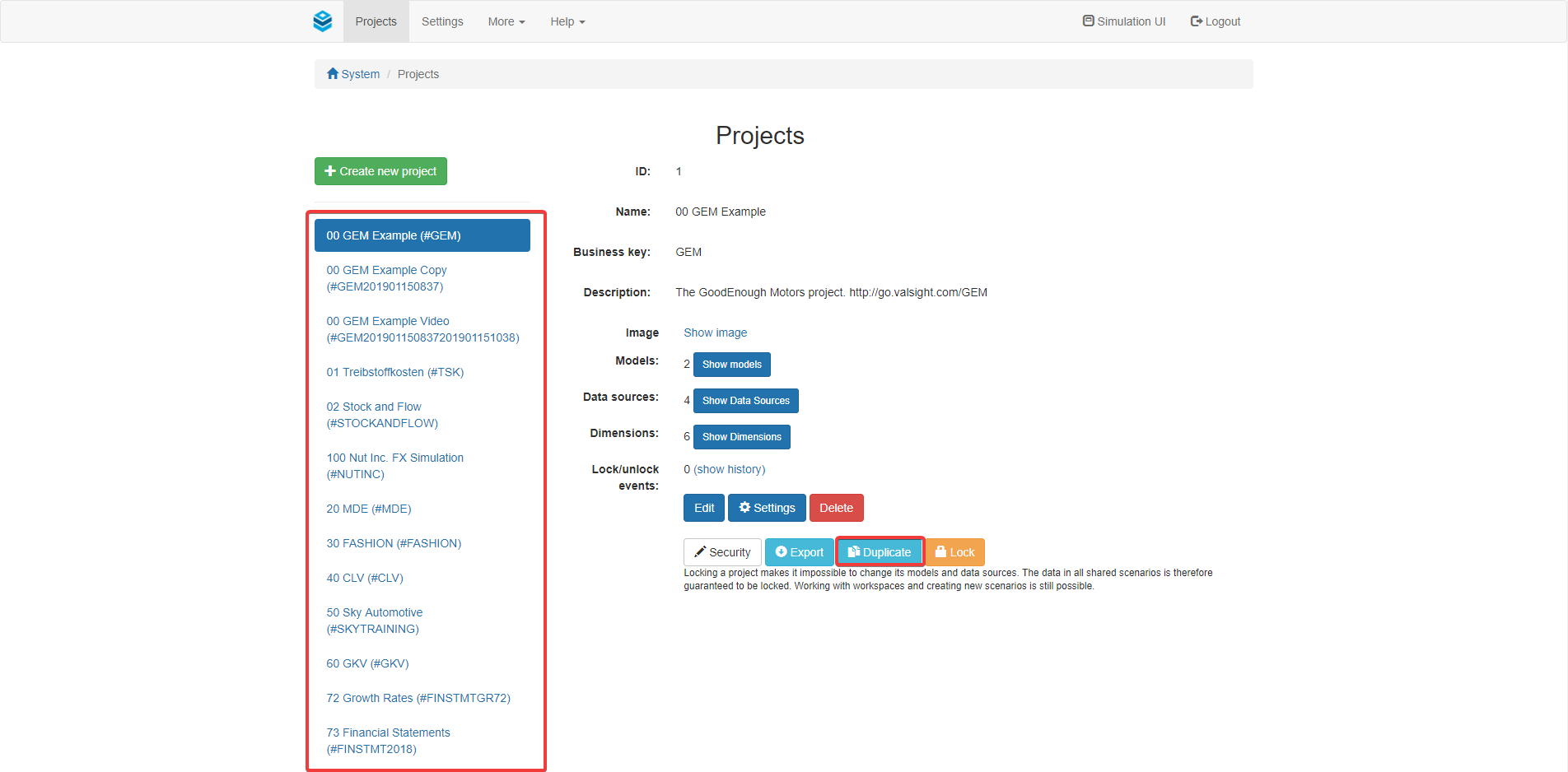
On the left, you will find a list containing all projects.
Select the project that you want to duplicate.
After selecting the desired project, click the “Duplicate” button.
A dialog will pop up, that gives you the opportunity to name your duplicate and assign a new business key.
Below those options, you are able to select which workspaces to include in your duplicate. Select those, that should be included.
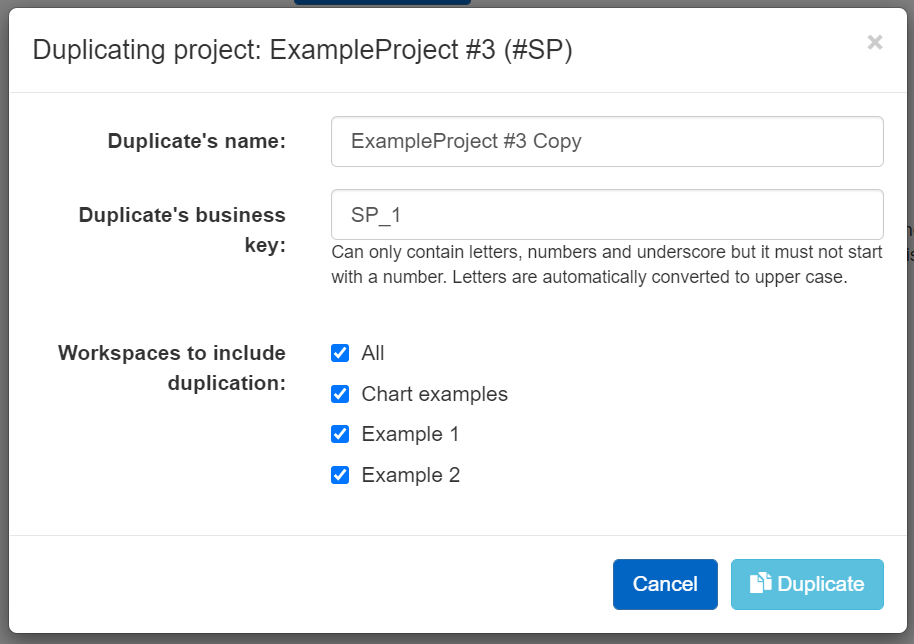
Press ‘Duplicate’ to finalize the process of duplicating a project.