
Nodes
Nodes are the fundamental building blocks of a model. Each node represents a value or calculation, and together they form a dependency graph that defines how results are produced.
The role of nodes in Valsight
- Express business logic in a structured and transparent way
- Represent values and calculations in a multidimensional way
- Define which values are editable, simulated, or data-driven
- Ensure models remain inspectable and evolvable as they grow
How they work
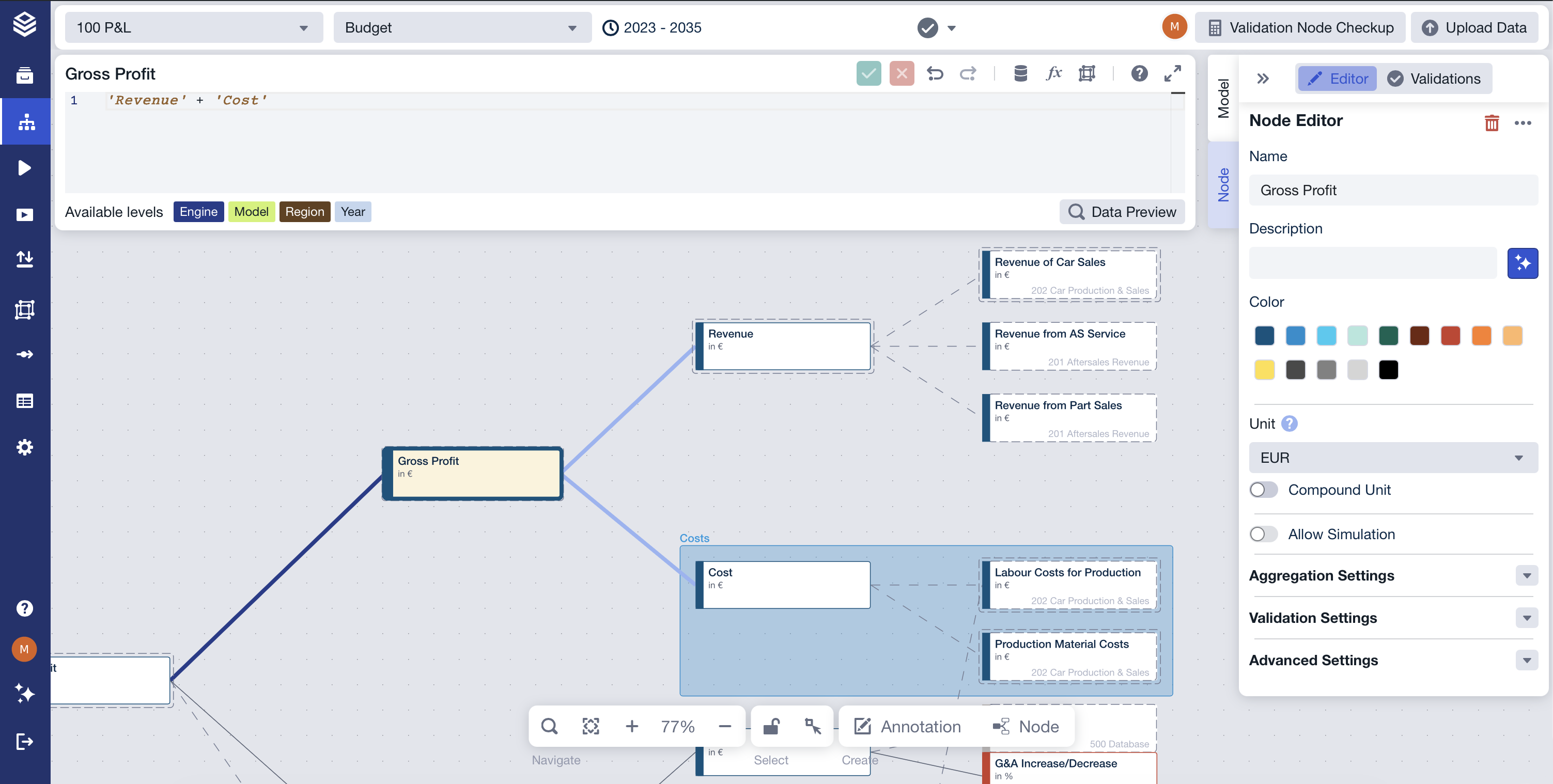
A model is composed of individual nodes, each representing a single value or calculation. Nodes reference other nodes as inputs, forming a directed graph of dependencies that determines calculation order and results.
Each node:
- Exists as a separate, selectable element
- Encapsulates one logical step (input, calculation, aggregation, or check)
- Can be reused by other nodes through references
Nodes do not execute in isolation—their value is always determined by the nodes they depend on and the logic defined within them.
There are four node types, each serving a distinct purpose:
- Standard nodes Used for step-by-step construction of calculation logic.
- Simulation nodes Mark assumptions or measures that can be adjusted in simulation workspaces.
- Data nodes Serve as entry points for external data.
- Validation nodes Check results against defined rules and flag deviations.
Using the feature
- You can create nodes to represent inputs, calculations, aggregations, or checks.
- You can select and edit nodes individually or in groups to evolve model logic.
- You can mark specific nodes as simulation-enabled to allow controlled changes in simulations.
- You can reuse nodes by copying and pasting them within or across models and projects.
Advanced usage typically involves combining different node types to clearly separate inputs, logic, validation, and simulation control.
Limitations & edge cases
- Nodes only define logic; they do not store historical results or scenario outcomes.
- Visual proximity does not imply dependency—only explicit references create relationships.
- Grouping or coloring nodes is purely visual and does not affect calculations.
- Simulation behavior applies only to nodes explicitly marked as simulation-enabled.
FAQ
What does a node represent? A single value or calculation step within a model.
Can one node be used in multiple calculations? Yes. Nodes can be referenced by multiple other nodes.
Do nodes execute in a specific order? Execution order is determined automatically by dependencies between nodes.
Does changing a node affect all results? Yes. Any node that depends on it will be recalculated.
Related documentation
Model Structure