Resetting the Database CHANGELOGLOCK
If the Valsight Server process gets interrupted during a regular startup, the database may end up in a locked state.
To remove the lock, run the following query on the database.
UPDATE DATABASECHANGELOGLOCK SET LOCKED=false, LOCKGRANTED=null, LOCKEDBY=null where ID=1;If you are running with the integrated H2 database, you may use the following tool to issue the above query against the DB.
Instructions
-
Download Tool: ResetDBLock-ResetDBLock-1.0.jar
-
Locate your Valsight directory
-
Stop the Valsight Server
-
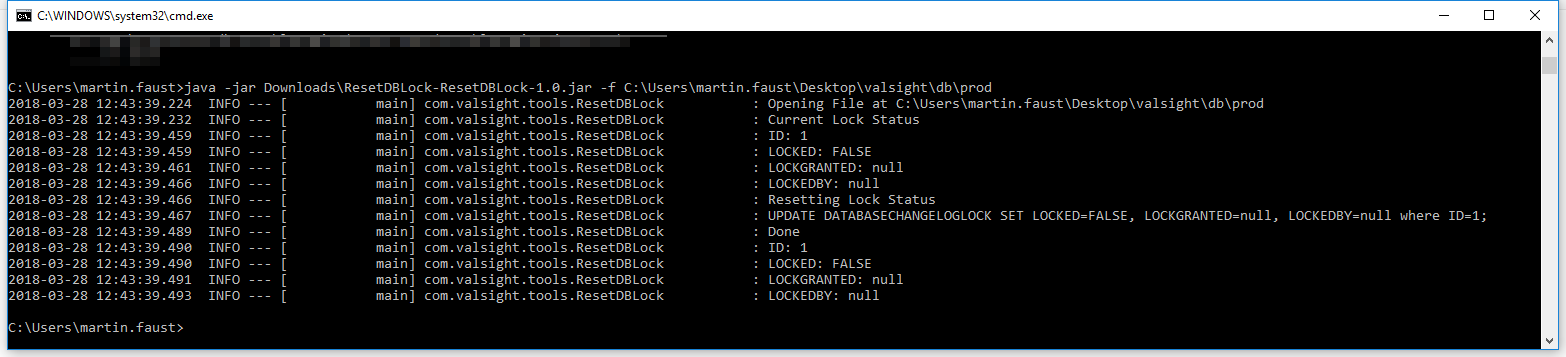
Run the tool from the Windows Command Line (Windows-Key+R, cmd, [Enter]) The command must be run without the “.mv.db” extension:
- java -jar path/to/ResetDBLock-ResetDBLock-1.0.jar -f path/to/dbdir/prod
Example Output