
Allow Simulation of Nodes
This guide shows you how to mark nodes as simulatable so that their values can be changed in a simulation workspace.
Prerequisites
- You have an existing model with at least one node.
- You have edit access to the model.
Steps
- Open the model in the Model Editor.
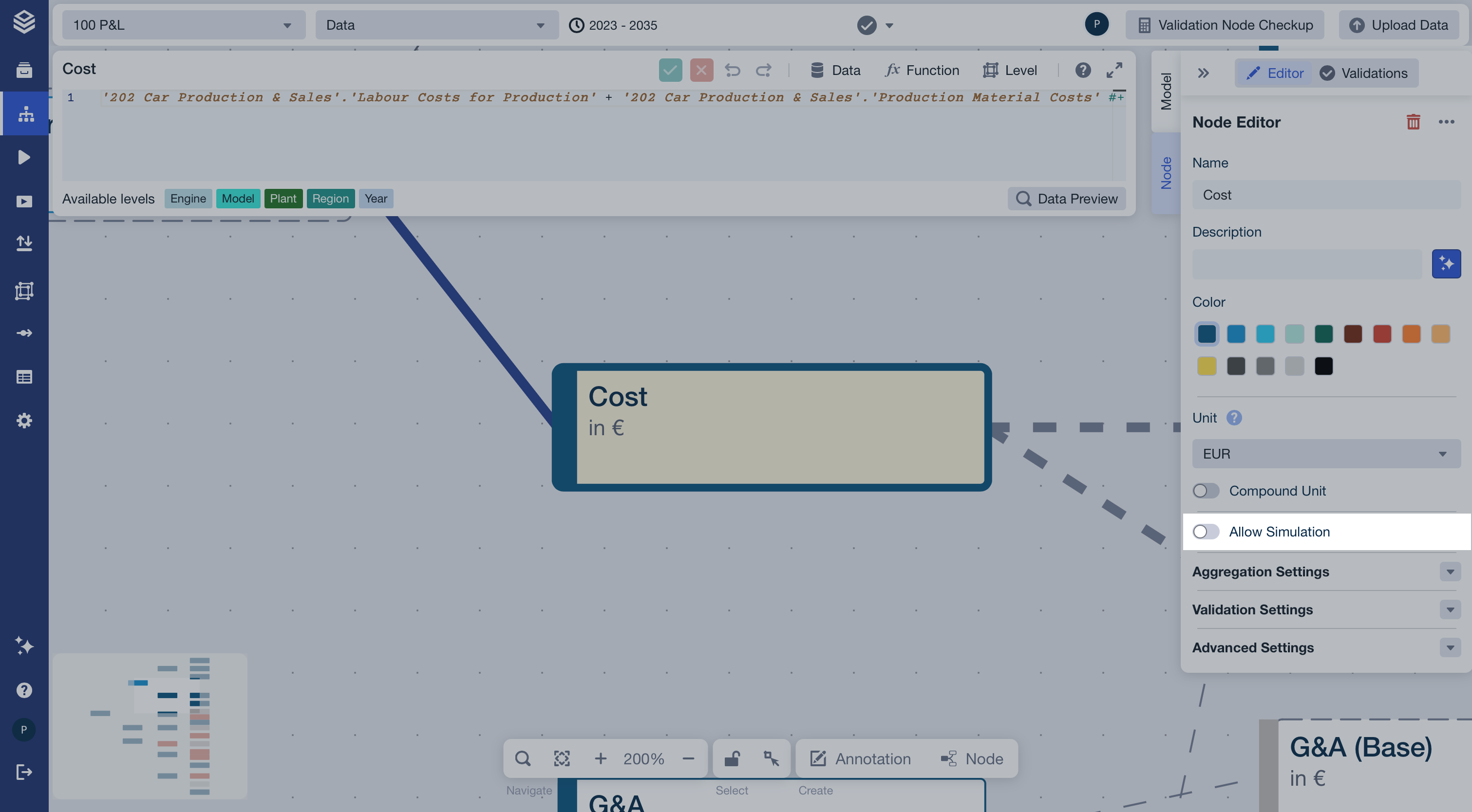
- Click on the node you want to make simulatable (e.g., “Cost”). The Node Editor panel opens on the right.
- In the Node Editor, locate the Allow Simulation toggle and enable it.
- Repeat steps 2–3 for each node you want to make simulatable.
Result
The selected nodes are now marked as simulatable. In a simulation workspace, users can override their values to explore different scenarios — while all other nodes remain read-only.