
4. MDE Service
Similar to the product side we now build our Service side sub-model regarding our gross profit.
Gross Profit Services
We start off once again by creating the nodes “Gross Profit”, “Revenue” and “Services” and summing the latter two. If you have any doubts about how to do it, just have a look at3. MDE Products’ first step once more.
Revenue Services
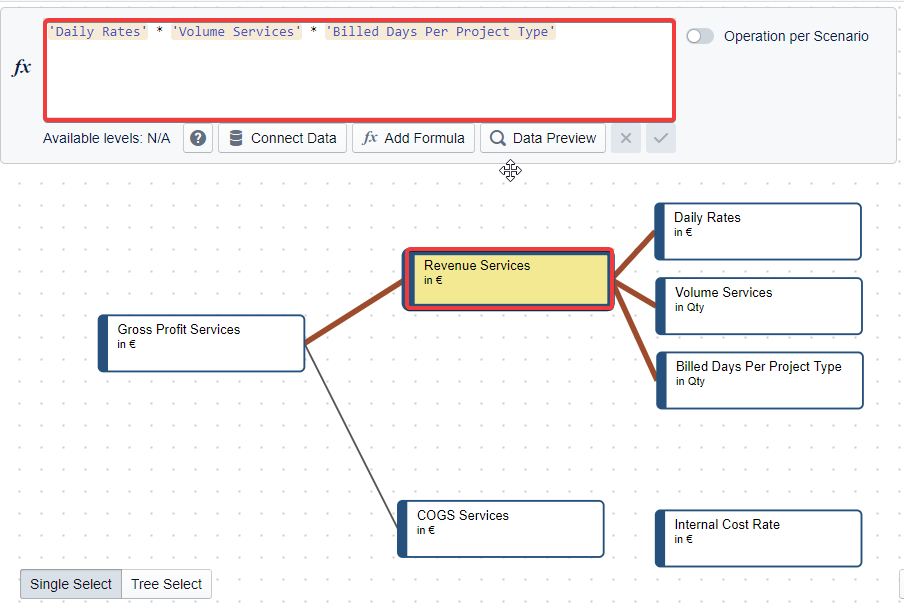
We continue defining our revenue services, by multiplying our “Volume” holding the number of projects with our “Daily Rates” and our “Billed Days per Project type”.
Info:
Revenue Services
‘Volume Services’ * ‘Daily Rates’ * ‘Billed Days per Project Type’
COGS Services
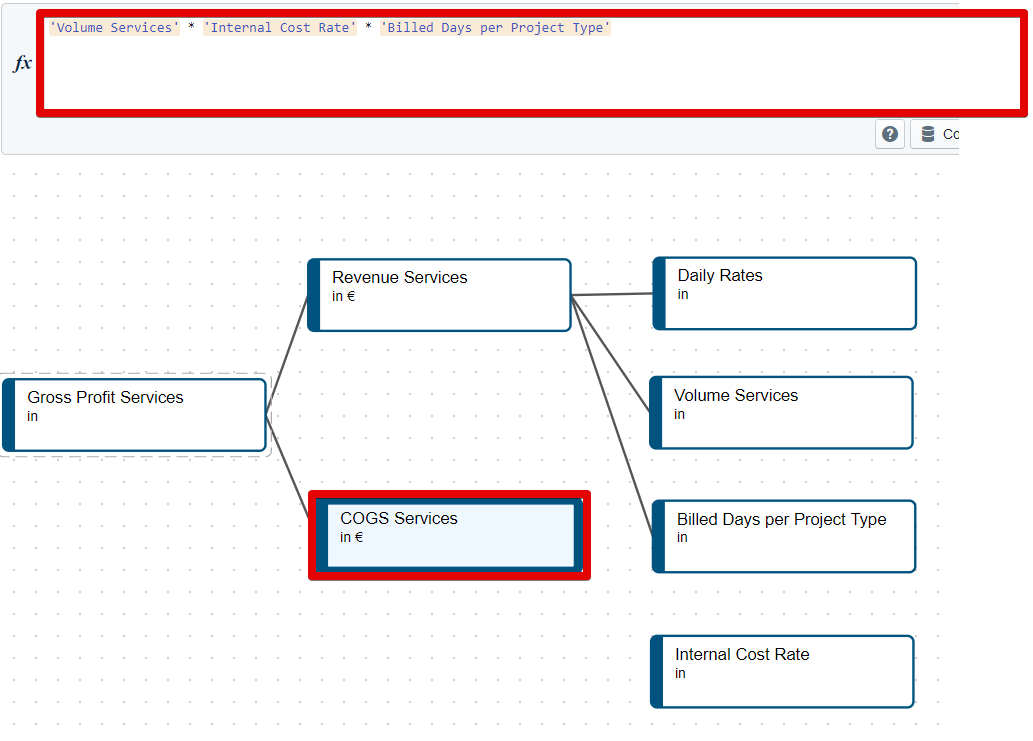
Similar to the revenue we also receive our COGS by multiplying three nodes. This time we need the “Internal Cost Rate” describing the internal cost per consulting day and multiply it by the “Billed Days per Project Type” and our “Volume”.
Info:
COGS Services
‘Volume Services’ * ‘Internal Cost Rate’ * ‘Billed Days per Project Type’
Similar to 3. MDE Products, we once again connect the lowest nodes to our drivers and base data. Once again, you need to use the basic 4 formulas we learned before. You can use this as a training opportunity to figure out the solution yourself. Once you are ready, you can compare it with our solution.
| Node | Task |
|---|---|
| Daily Rates | Use the nodes ‘Base Data’.‘Base Data Total Revenue’ & ‘Base Data’.‘Base Data Billed Days’ to calculate the daily rates and project them into the future. |
| Volume Services | Load in the ‘Drivers’.‘Volume’ node, but keep only “Services” from *“*ProductGroup” . (Volume node does not need to get projected.) |
| Billed Days Per Project Type | Load in ‘Base Data’.‘Base Data Billed Days per Project Type’ and project them into the future |
| Internal Cost Rate | Take the ‘Base Data’.‘Base Data Internal Cost Rate’, switch the sign of data inside and project it with ‘Drivers’.‘Merit Increase’ as a driver |
Solution
| Node | f(x) | |
|---|---|---|
| 1 | Daily Rates | ROLLFORWARD('Base Data'.'Base Data Total Revenue' / 'Base Data'.'Base Data Billed Days per Project Type') |
| 2 | Volume Services | FILTER('Drivers'.'Volume',"ProductGroup","Services") |
| 3 | Billed Days Per Project Type | ROLLFORWARD('Base Data'.'Base Data Billed Days per Project Type') |
| 4 | Internal Cost Rate | ROLLFORWARD('Base Data'.'Base Data Internal Cost Rate' * -1,'Drivers'.'Merit Increase') |
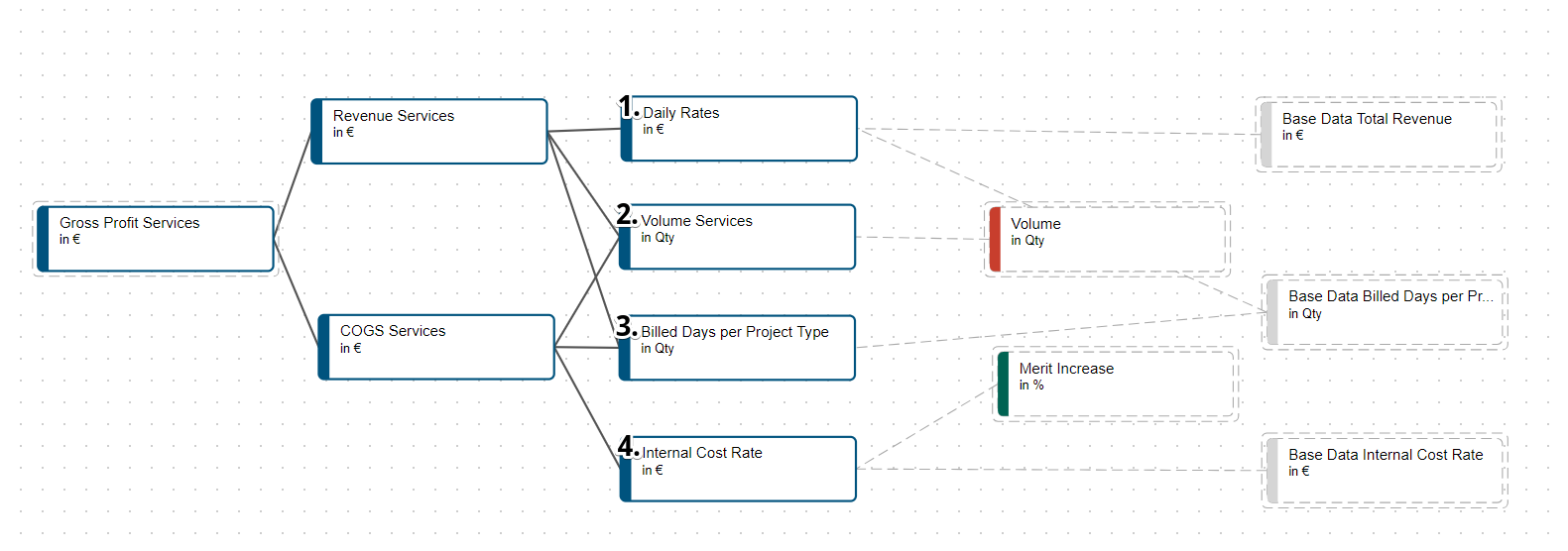
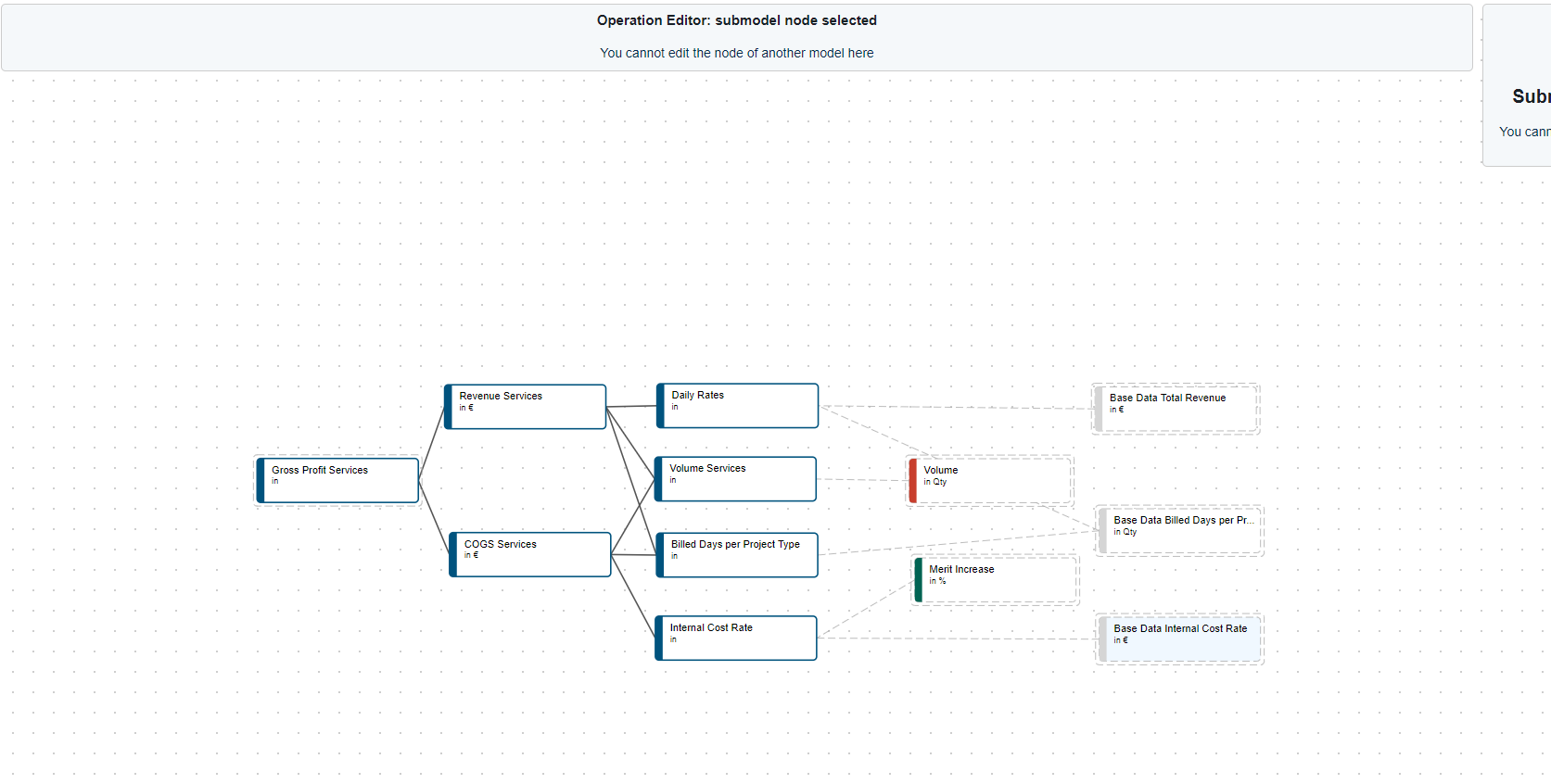
After following these steps your sub-model should look like this:
Next Steps
Congratulations, no one is stopping you now from creating meaningful models with your now solidified knowledge. You are only missing the 5. MDE OPEX to be able to create the final P&L.